> ## Documentation Index
> Fetch the complete documentation index at: https://docs-dev-feat-docs-5612-expanded-grant-support-ea.mintlify.site/llms.txt
> Use this file to discover all available pages before exploring further.

> Découvrez comment configurer vos connexions Vault Mailjet pour envoyer des courriels avec Mailjet.

# Connexion Vault Mailjet

<h2 id="get-your-mailjet-keys">
  Récupérez vos clés Mailjet
</h2>

Vous les trouverez sur la page Compte du [tableau de bord Mailjet](https://app.mailjet.com/account/api_keys), sous « Clés API ».

<h2 id="configure-your-mailjet-vault-connection">
  Configurer votre connexion Vault Mailjet
</h2>

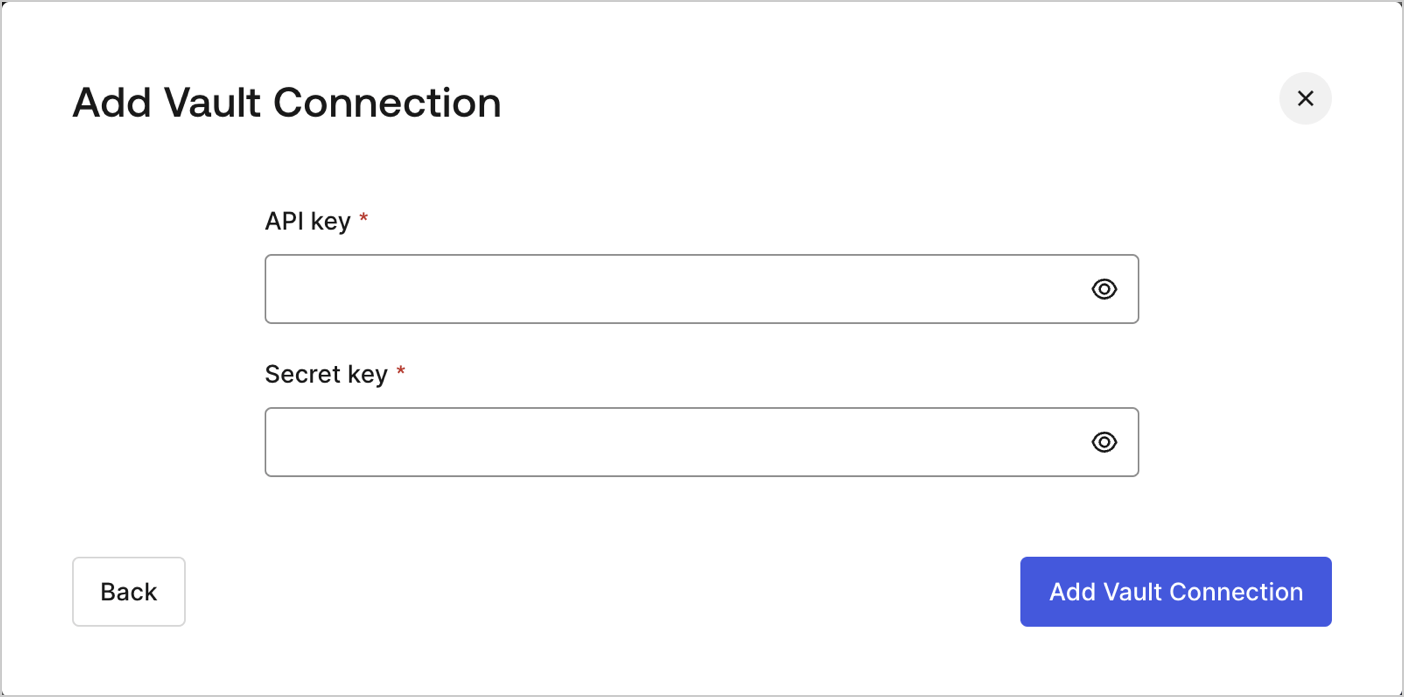
Pour configurer une connexion Vault Mailjet pour vos actions de Flow Mailjet, vous devez indiquer les paramètres requis.
<Frame>
  <img src="https://mintcdn.com/docs-dev-feat-docs-5612-expanded-grant-support-ea/fO9QR70_Gdrw6w5B/docs/images/customize/forms/vaults/mailjet-vault-connection.png?fit=max&auto=format&n=fO9QR70_Gdrw6w5B&q=85&s=1cd750261ab8e4ad0a7d8e20b7b6d5b5" alt="Dashboard > Actions > Forms > Vault > MailJet" data-og-width="1404" width="1404" data-og-height="697" height="697" data-path="docs/images/customize/forms/vaults/mailjet-vault-connection.png" data-optimize="true" data-opv="3" srcset="https://mintcdn.com/docs-dev-feat-docs-5612-expanded-grant-support-ea/fO9QR70_Gdrw6w5B/docs/images/customize/forms/vaults/mailjet-vault-connection.png?w=280&fit=max&auto=format&n=fO9QR70_Gdrw6w5B&q=85&s=6beca4fa51f4ca971c808d63db17c33d 280w, https://mintcdn.com/docs-dev-feat-docs-5612-expanded-grant-support-ea/fO9QR70_Gdrw6w5B/docs/images/customize/forms/vaults/mailjet-vault-connection.png?w=560&fit=max&auto=format&n=fO9QR70_Gdrw6w5B&q=85&s=a3edaf36caf1a6bdd20b32cc928cc2d3 560w, https://mintcdn.com/docs-dev-feat-docs-5612-expanded-grant-support-ea/fO9QR70_Gdrw6w5B/docs/images/customize/forms/vaults/mailjet-vault-connection.png?w=840&fit=max&auto=format&n=fO9QR70_Gdrw6w5B&q=85&s=da156b756028d22543c9fd2c2aa94a91 840w, https://mintcdn.com/docs-dev-feat-docs-5612-expanded-grant-support-ea/fO9QR70_Gdrw6w5B/docs/images/customize/forms/vaults/mailjet-vault-connection.png?w=1100&fit=max&auto=format&n=fO9QR70_Gdrw6w5B&q=85&s=cf8c7ba8db1296783b43e5c6a69df8e8 1100w, https://mintcdn.com/docs-dev-feat-docs-5612-expanded-grant-support-ea/fO9QR70_Gdrw6w5B/docs/images/customize/forms/vaults/mailjet-vault-connection.png?w=1650&fit=max&auto=format&n=fO9QR70_Gdrw6w5B&q=85&s=6f6024e23887de1b3b2f875a4d38ab81 1650w, https://mintcdn.com/docs-dev-feat-docs-5612-expanded-grant-support-ea/fO9QR70_Gdrw6w5B/docs/images/customize/forms/vaults/mailjet-vault-connection.png?w=2500&fit=max&auto=format&n=fO9QR70_Gdrw6w5B&q=85&s=b9b3102369b65278c173e47229f956d9 2500w" />
</Frame>

<h3 id="input-settings">
  Paramètres d’entrée
</h3>

| Paramètre | Description |
| - | - |
| Clé API | Clé API pour l’authentification à l’API Mailjet. |
| Clé secrète | Clé secrète pour l’authentification à l’API Mailjet. |
