> ## Documentation Index
> Fetch the complete documentation index at: https://docs-dev-feat-docs-5612-expanded-grant-support-ea.mintlify.site/llms.txt
> Use this file to discover all available pages before exploring further.

# データベース接続をセットアップする

> Auth0 Dashboardでアプリケーションのデータベース接続をセットアップする方法について説明します。

アプリケーションのデータベース接続は、<Tooltip data-tooltip-id="react-containers-DefinitionTooltip-0" href="/docs/ja-jp/glossary?term=auth0-dashboard" tip="Auth0 Dashboard: サービスを構成するためのAuth0の主製品。" cta="用語集の表示">Auth0 Dashboard</Tooltip>を使ってセットアップできます。構成したデータベース接続は、アプリケーションへのログインに使用できます。以下の手順で、接続をセットアップしてください。

<Accordion title="1 Auth0 Dashboardから開始">
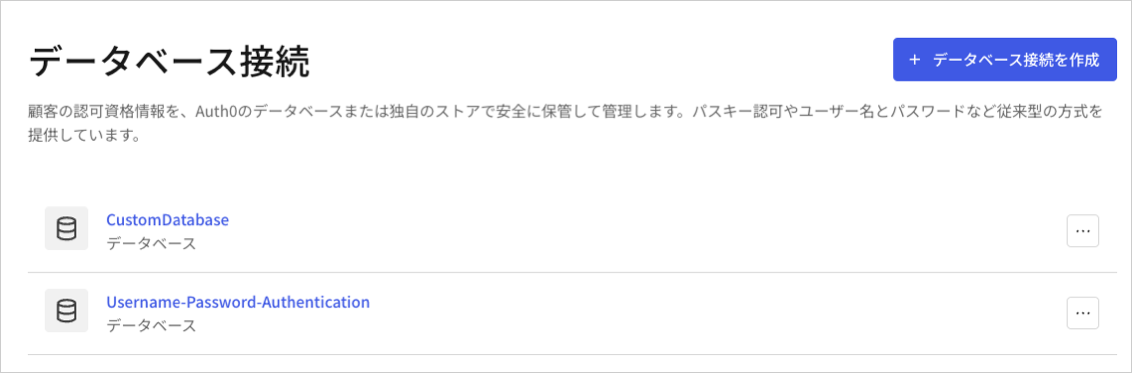
  [［Auth0 Dashboard］ > ［Authentication（認証）］ > ［Database（データベース）］](http://manage.auth0.com/#/connections/database)に移動して、**［Create DB Connection（データベース接続を作成）］** を選択します。

  <Frame>
    <img src="https://mintcdn.com/docs-dev-feat-docs-5612-expanded-grant-support-ea/a-o3voFaHnBex3Rm/docs/images/ja-jp/cdy7uua7fh8z/1Hf6ctA9xhsLOQO9IyG0VU/4852ec12c491cc4e5ff8cf52e1ec9672/DB_Connections_-_JP.png?fit=max&auto=format&n=a-o3voFaHnBex3Rm&q=85&s=8723a237d2564c616b551ad062731811" alt="Dashboard - 認証 - データベース - データベース接続リスト" width="1132" height="373" data-path="docs/images/ja-jp/cdy7uua7fh8z/1Hf6ctA9xhsLOQO9IyG0VU/4852ec12c491cc4e5ff8cf52e1ec9672/DB_Connections_-_JP.png" />
  </Frame>
</Accordion>

<Accordion title="2 接続に名前を付ける">
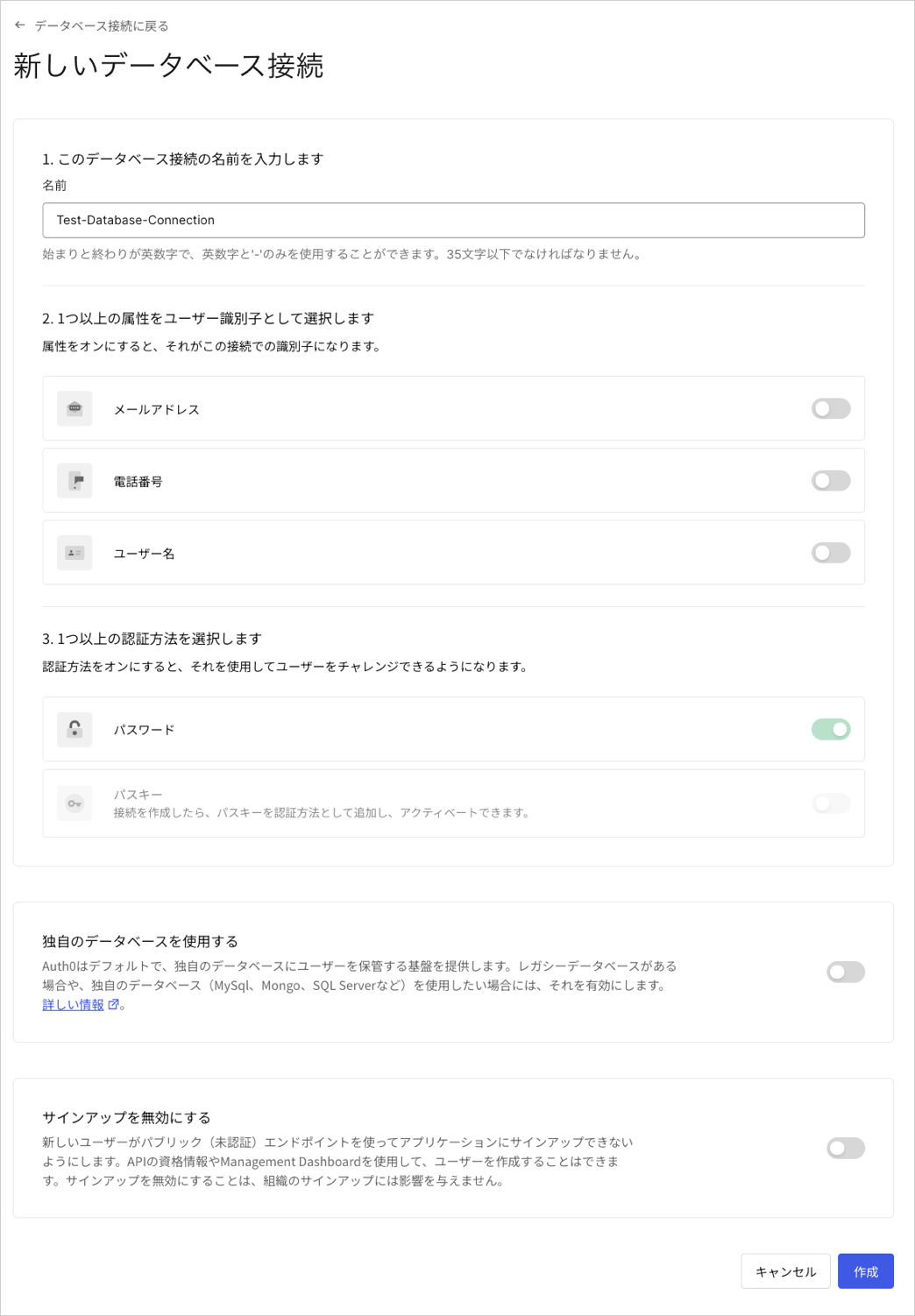
  接続の名前を入力し、**［Create（作成）］** を選択します。

  <Frame>
    <img src="https://mintcdn.com/docs-dev-feat-docs-5612-expanded-grant-support-ea/KJ0_vb0aFSxxN_Dr/docs/images/ja-jp/cdy7uua7fh8z/224NpYTYh56bICfblpAJ6O/583892ca4112dbe93d8a482c51856a14/Create_Database_Connections.png?fit=max&auto=format&n=KJ0_vb0aFSxxN_Dr&q=85&s=b4bdd284cf0fe230463a54d8c07f6844" alt="Dashboard - 認証 - データベース - 新しいデータベース接続" width="1044" height="1502" data-path="docs/images/ja-jp/cdy7uua7fh8z/224NpYTYh56bICfblpAJ6O/583892ca4112dbe93d8a482c51856a14/Create_Database_Connections.png" />
  </Frame>
</Accordion>

<Accordion title="3 接続を有効化する">
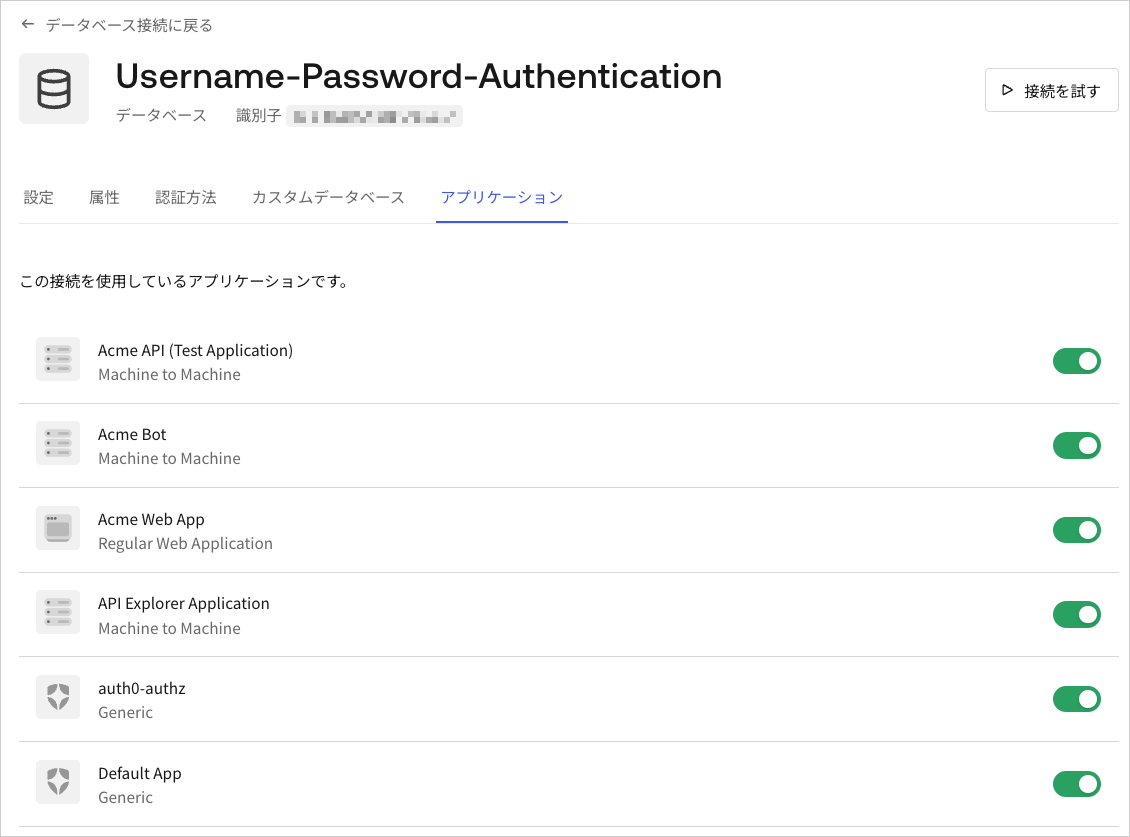
  **［Applications（アプリケーション）］** ビューを選択して、この接続を使用できるはずのAuth0アプリケーションごとに切り替えを有効にします。
  <Frame>
    <img src="https://mintcdn.com/docs-dev-feat-docs-5612-expanded-grant-support-ea/dPav6W7-Q6lgodl3/docs/images/ja-jp/cdy7uua7fh8z/Kjd9GRzWgHJis31lQVJlW/f047ccb22a50f7cd9f0339049649cd43/Database_Connection_-_Apps.png?fit=max&auto=format&n=dPav6W7-Q6lgodl3&q=85&s=512a7815cb94e9a6ac580c2f4cdfa177" alt="Dashboard - 接続 - データベース - 編集 - アプリケーションの表示" width="1130" height="837" data-path="docs/images/ja-jp/cdy7uua7fh8z/Kjd9GRzWgHJis31lQVJlW/f047ccb22a50f7cd9f0339049649cd43/Database_Connection_-_Apps.png" />
  </Frame>
</Accordion>

## もっと詳しく

* [データベース接続のテスト](/docs/ja-jp/get-started/applications/test-database-connections)